

This guide applies to dedicated servers running Proxmox with a connected Proxmox Backup Server (PBS).
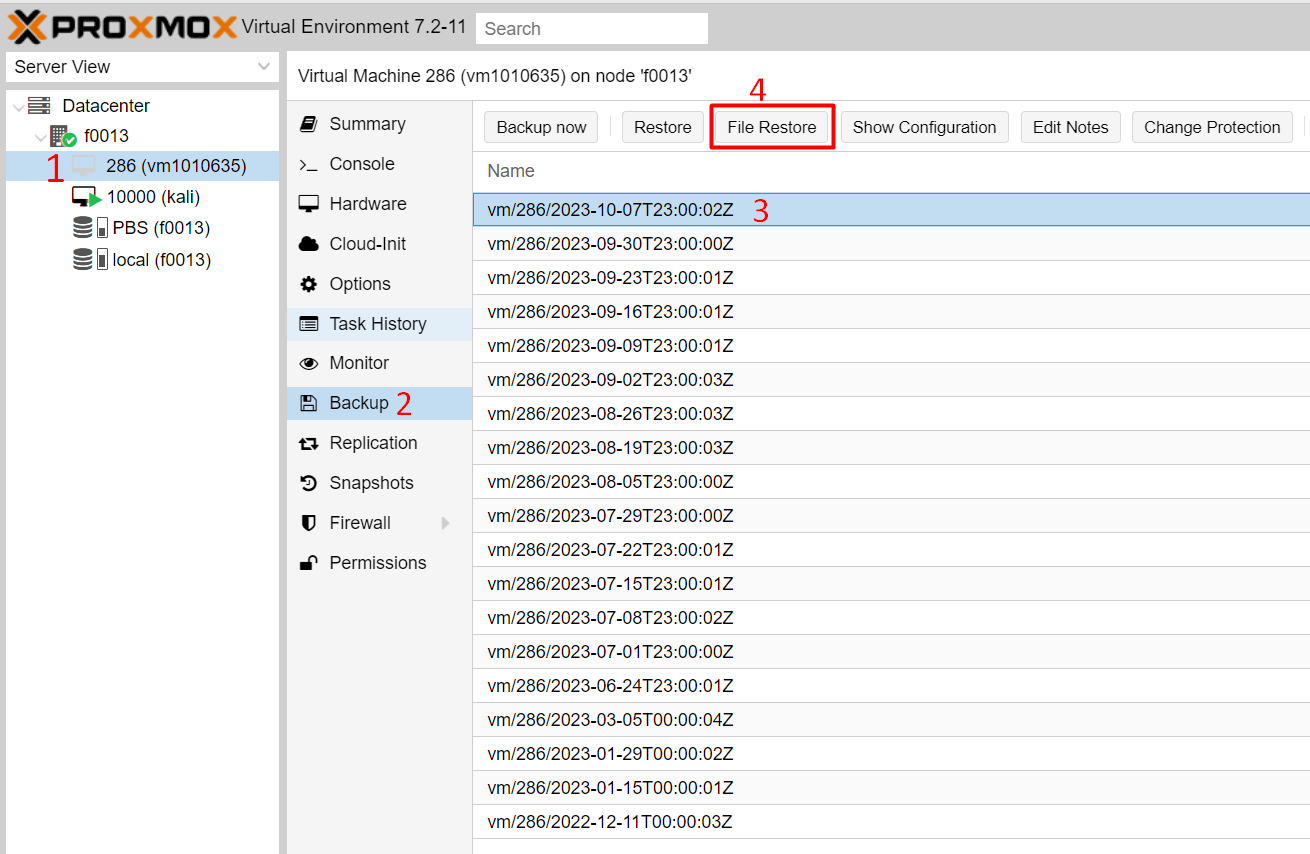
Log in to Proxmox, select the virtual machine you need and open the Backup section — a list of all backups is displayed.
Select the backup you are interested in and click File Restore in the toolbar above the list.
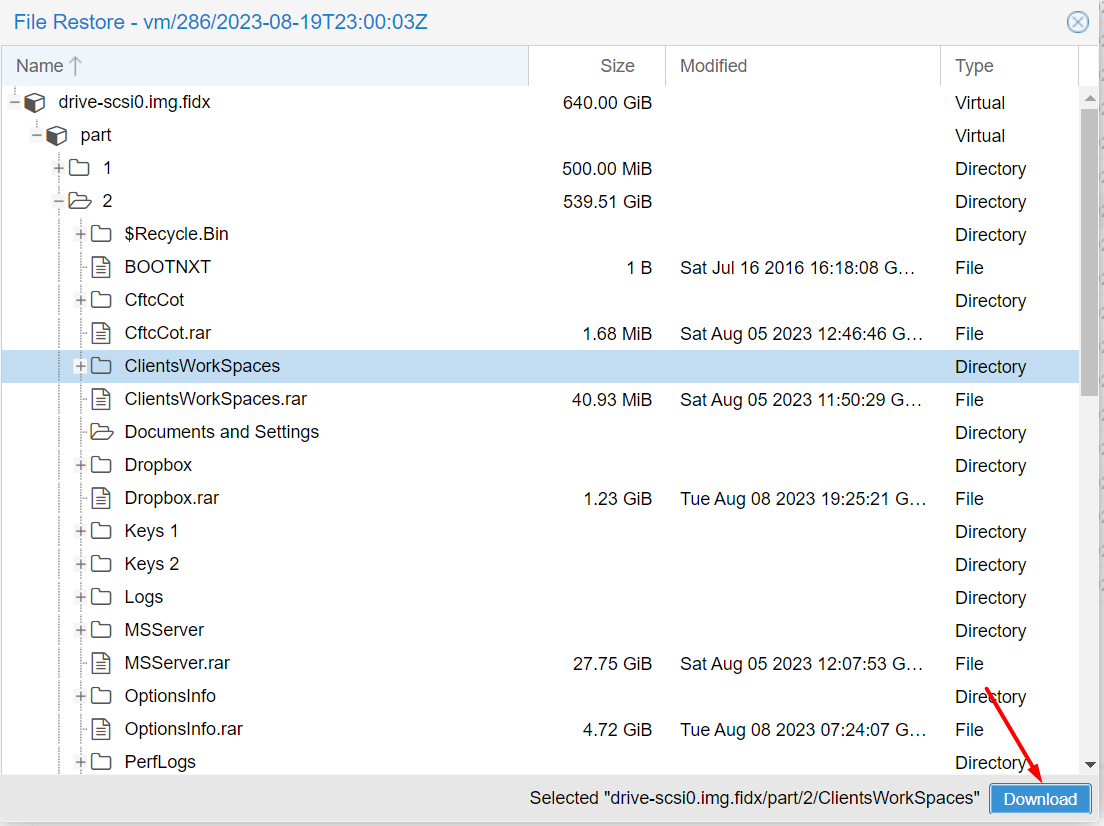
A file tree of the backup opens. Find the file or directory you need, select it and click Download. A dialog opens where you choose where to save it on your local computer.
Restoring individual files does not affect the running virtual machine: the files are downloaded from the backup to your computer, and the state of the VM remains unchanged.
