

A PTR record, also known as a reverse DNS (rDNS) record, maps your server's IP address back to a host name. It is the reverse of an A record, and it matters most when your server sends email: many mail providers check reverse DNS as an anti-spam measure and will reject or downgrade mail from an address that has none.
Before you begin
The host name you want to use must already have an A record pointing to the same IP address as your server. Receiving mail servers check both directions, and a PTR pointing to a name that does not resolve back to the same address is treated as no better than none at all.
| Record type | Host name | Points to |
|---|---|---|
| A | mail.example.com |
your server's IP address |
| PTR | your server's IP address | mail.example.com |
Adding the record
- Log in to your client area.
- Go to Domains → Manage DNS.
- Open the rDNS Records tab.
- Click Add PTR Record.
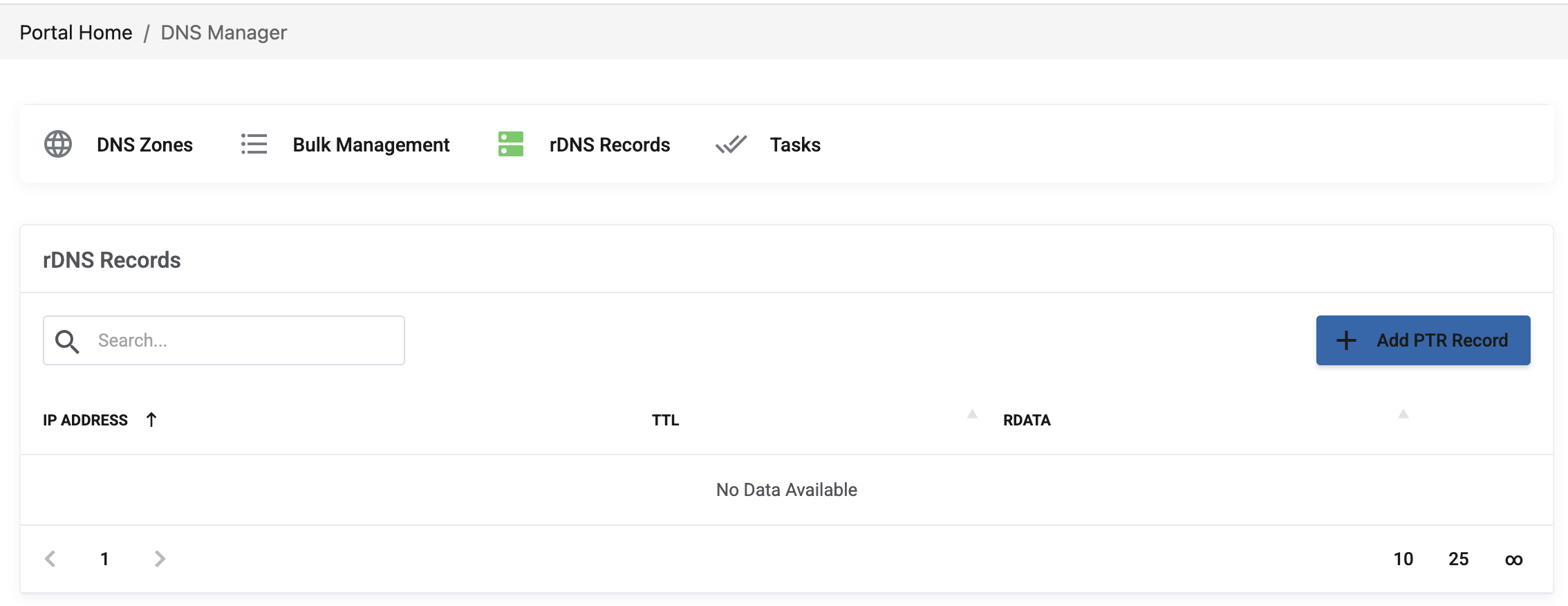
Points worth knowing
- One PTR per IP address. An address has a single reverse record, so choose the name that matters — normally the name your mail server announces itself with.
- Use a name you control. The host name should be a real name in one of your domains, resolving to this server.
- Match your mail server's HELO name. Ideally the PTR, the A record and the name your mail server presents in SMTP are all the same. Mismatches between them are a common reason for mail being treated as suspicious.
Checking the result
DNS changes take time to propagate — see How long does DNS propagation take? Once active, check the record with:
dig -x YOUR_SERVER_IP +short
Replace YOUR_SERVER_IP with your address. The command should return the host name you set.
PTR is not enough on its own
Reverse DNS is one of several checks applied to outgoing mail. For mail to be accepted reliably you also need SPF, DKIM and DMARC records for the domain — see How to add or edit MX records. A server with a correct PTR but no SPF still ends up in spam folders.
If mail is still being rejected after the record is in place, open a ticket from your client area with the domain name and the rejection message returned to you — the wording of that message usually identifies which check failed.
